Your 2026 Guide: Event Tracking Google Tag Manager

Your team launched the site. Paid campaigns are running. A founder asks a simple question in Slack: “How many people clicked the demo button from the pricing page this week?”
Silence.
GA4 shows traffic. Maybe it shows sessions, page views, and a few auto-collected events. But that still leaves the full story hidden. You don't know whether visitors reached pricing, clicked the CTA, opened the form, abandoned it, or hit a broken step in the journey. The website looks polished, but from an analytics perspective it's a black box.
That's where event tracking in Google Tag Manager stops being a technical side quest and becomes operating infrastructure. If your startup wants to trust its attribution, justify ad spend, or show investors a clean funnel, you need a system that records meaningful behavior consistently. Not just “some events.” The right events, named properly, triggered reliably, and tested all the way into reporting.
Table of Contents
Why Your Startup is Flying Blind Without Proper Event Tracking
Level Up Avoiding Common Pitfalls and Using Advanced Tactics
Why Your Startup is Flying Blind Without Proper Event Tracking
A lot of startups think they have analytics because GA4 is installed. They don't. They have a heartbeat monitor, not a diagnosis.
The usual pattern looks like this. Marketing drives traffic from Google Ads, LinkedIn, SEO, and email. Product asks which onboarding step leaks users. Sales wants to know whether “Contact Sales” visitors are serious buyers or just curious. Nobody can answer with confidence because the site isn't tracking the moments that matter.
The missing middle of the funnel
Pageviews tell you where people landed. They don't tell you intent.
A pricing page view is not the same as a pricing comparison click. A demo page view is not the same as starting a form. And a thank-you page visit can be misleading if users can reach it without completing the action you care about.
That's why event tracking Google Tag Manager setups matter so much for early-stage teams. They give you visibility into user behavior between landing and conversion. That middle section is where most marketing decisions are made badly.
You can survive weak creative for a while. You can't survive confidently optimizing off bad tracking.
A founder doesn't need a dashboard stuffed with vanity metrics. They need a believable answer to practical questions: Which CTA gets clicked? Which page context produces the highest-intent actions? Where are users hesitating? If your dashboard can't answer those, it's probably lying by omission. This is exactly why I'd pair technical tracking work with a clearer view of the marketing metrics that actually matter in 2026).
Good tracking changes how teams behave
Once event tracking is in place, meetings get shorter and decisions get sharper.
Marketing teams stop arguing over channels in the abstract and start comparing actual user actions.
Product teams can see whether users interact with key elements or ignore them.
Founders get cleaner attribution stories for budget calls, board updates, and investor conversations.
The point isn't to track everything. The point is to track enough of the right things that your next decision isn't a guess.
The Blueprint Planning Your Events and dataLayer
Most broken GTM setups start with enthusiasm. Someone opens the container, creates five click triggers, publishes fast, and calls it done. Two months later, nobody trusts the data.
The fix starts before GTM. You need a measurement plan that turns business goals into trackable behavior, plus a dataLayer structure that gives GTM clean inputs instead of forcing it to scrape meaning from random page elements.
Start with decisions not clicks
A useful tracking plan starts with business questions, not interface actions.
If you're a SaaS startup, the questions usually sound like this:
Acquisition quality: Which channels bring visitors who engage with pricing, demos, or signup?
Buyer intent: Which pages and CTAs signal serious consideration?
Funnel friction: Where do users start a process and fail to finish it?
Sales readiness: Which events should become key events or sync into ad platforms and CRM workflows?
From there, define the user actions that answer those questions. Keep the list tight. If an event won't change a product, marketing, or sales decision, it probably doesn't deserve permanent space in your setup.
Build a naming system before you build tags
Bad naming creates quiet chaos. One marketer sends demoClick, another sends click_demo_button, a developer pushes requestDemo, and six weeks later your reports are a cleanup project.
A simple naming convention works better than a clever one. For GA4, use lowercase event names with underscores, and keep parameters consistent. I prefer names that reflect the business action plainly.
Business Goal | Event Name (GA4 style) | Parameter 1 (e.g., location) | Parameter 2 (e.g., type) |
|---|---|---|---|
Demo demand |
|
|
|
Newsletter growth |
|
|
|
Pricing intent |
|
|
|
Sales contact |
|
|
|
A few rules keep this sane:
Name the event after the action.
pricing_cta_clickis clearer thanbutton_click.Use parameters for context. Don't create ten near-duplicate events when one event plus
locationcan do the job.Keep language stable. If a CTA changes from “Book Demo” to “Talk to Sales,” your event name shouldn't become a rebranding exercise.
Practical rule: If someone new joins the team and can't guess what an event means from the name alone, rename it.
Treat the dataLayer like a contract
The dataLayer is the cleanest way to tell GTM what happened and what details matter. Think of it as a structured message bus between your website and your tag manager.
Here's the difference in practical terms:
Weak setup: GTM watches button classes and guesses what the click meant.
Strong setup: The site pushes a clear event with context, and GTM listens for it.
That contract matters most for high-value events. Form success, account creation, checkout completion, plan selection, and logged-in actions should usually come from deliberate dataLayer.push() implementations, not fragile DOM scraping.
What should go in your plan document
A lightweight spreadsheet is enough if it includes the essentials:
Business objective
Event name
Trigger logic
Required parameters
Where the event should appear
Owner (marketer, developer, analyst)
Status (planned, in build, QA, live)
For example, if you want to track demo requests, define whether the event should fire on button click, form start, successful submit, or thank-you confirmation. Those are different moments. Teams blur them constantly, and then wonder why paid campaign attribution feels off.
A startup-friendly priority stack
If resources are thin, build in this order:
Revenue-adjacent events first: Demo requests, trial starts, purchases, qualified lead forms.
Intent signals second: Pricing interactions, calculator uses, high-value downloads.
Behavior diagnostics third: Scroll depth, tab clicks, accordion opens, minor engagement events.
This order keeps your event tracking Google Tag Manager setup useful from day one. You can always expand later. Cleaning up an overbuilt mess is much harder.
Inside the Machine Building Tags Triggers and Variables
A founder asks a simple question after a campaign launch: “How many demo requests came from paid search?” If your GTM setup is loose, you will have clicks, partial form activity, and a few tags that fired somewhere. You will not have an answer anyone should trust.
That is the primary job here. Build a tracking system that turns site behavior into records the business can defend.
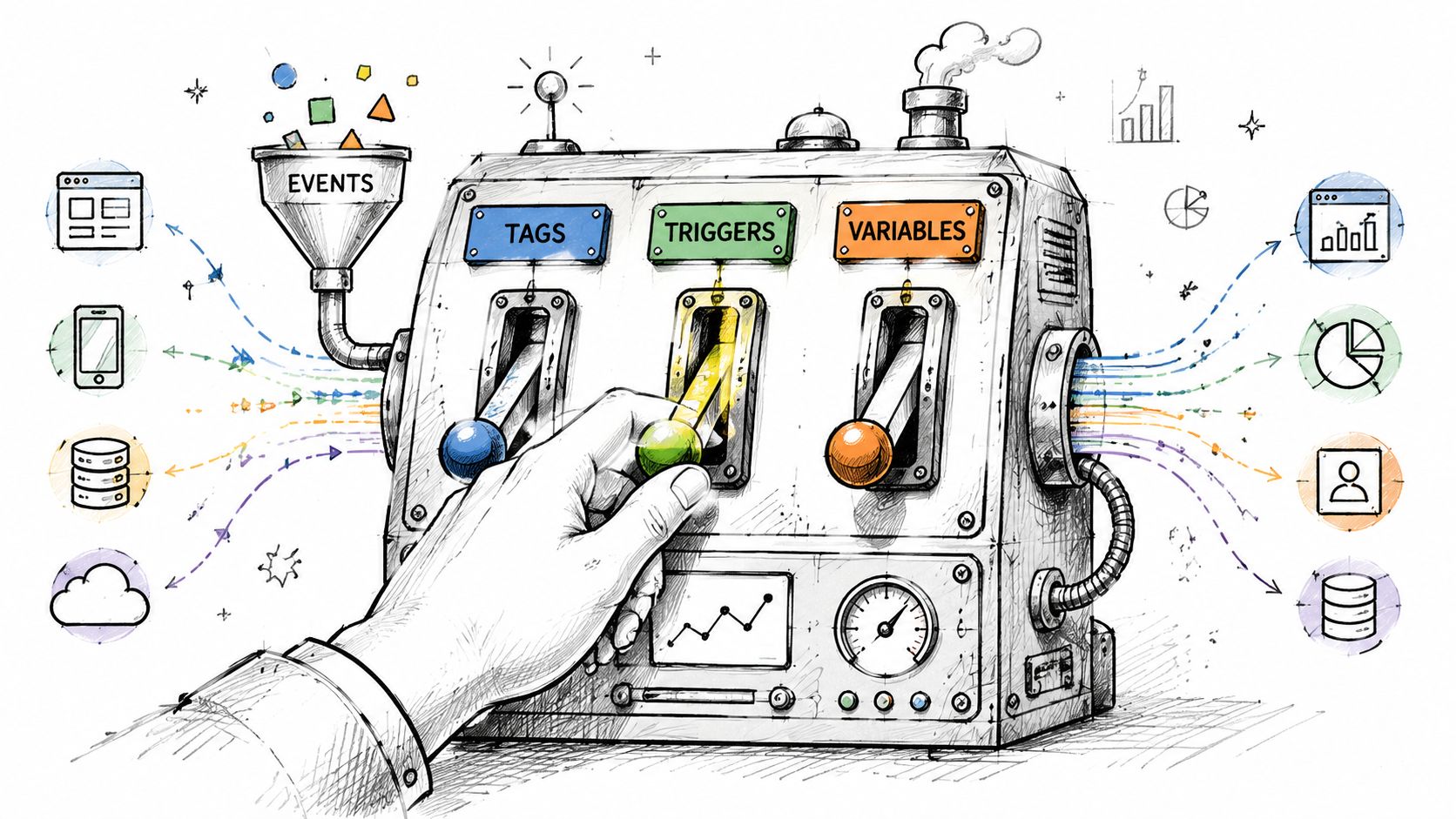
What each GTM part actually does
GTM has three working parts.
A trigger defines the condition that starts tracking. A click, a form submission, a page view, or a custom event pushed into the dataLayer.
A variable supplies context. It can pull the clicked URL, button text, page path, form ID, product name, or any value the site sends into GTM.
A tag sends the event to a destination such as GA4.
If those pieces are misaligned, the event still might fire. It just will not mean what you think it means. That is how startups end up with dashboards full of activity and no decision-grade attribution.
Build the trigger first, not the tag
Many early-stage teams start by creating the GA4 tag because it feels like the main event. It is not. The trigger decides whether the event reflects reality.
Take a “Request a Demo” link in the site header. The clean setup is usually:
Enable built-in click variables such as Click Text, Click URL, Click Classes, and Click Element.
Create a Click - Just Links trigger if the CTA is a real link.
Set it to fire on Some Link Clicks.
Use a stable rule, such as a specific URL pattern, ID,
data-*attribute, or reliable class.Create a GA4 Event tag with an event name like
demo_request_click.Pass useful parameters into the tag.
That order matters because bad trigger logic is the fastest way to pollute a property. I have seen teams fire the same CTA event from the header, footer, mobile menu, and pricing page modal, then realize later that they cannot separate low-intent clicks from high-intent ones.
Choose conditions that survive site changes
The fastest setup is rarely the one that lasts.
A rule like Click Text contains Demo can work for ten minutes and fail the moment a copywriter changes the button to “Book a Walkthrough.” A CSS class copied from a front-end framework can disappear in the next release. A stable attribute such as data-cta="demo-header" is usually better. A URL pattern can also work if the destination is unique and the site does not reuse that same path for unrelated elements.
Use this rough order of preference for click triggers:
Custom
data-*attributesUnique IDs
Stable URL patterns
Stable classes
Click text, only if nothing else exists
This is one of the places where a small developer request saves a lot of cleanup later.
Variables are where reporting gets useful
Tags without good variables give you event counts and very little else. The point of event tracking is not to prove that a click happened. The point is to preserve enough context to answer business questions later.
For a demo CTA click, a useful payload might look like this:
Event name:
demo_request_clickParameter
cta_location:headerParameter
link_text:Request a DemoParameter
link_url: the clicked destinationParameter
page_path: the current page
That structure is better than creating separate event names like header_demo_click, footer_demo_click, and pricing_demo_click. One event with clear parameters is easier to audit, easier to document, and easier to use in GA4 reporting.
Tags should stay boring
That is a compliment.
A good GA4 event tag is plain. Clear event name. Useful parameters. Correct configuration. No extra logic stuffed into the tag because nobody wanted to fix the trigger or the site implementation.
If you find yourself adding lots of exceptions, regex workarounds, and brittle variable logic just to make one event behave, stop and reconsider the setup. GTM can patch around messy markup, but every patch increases the chance that reporting breaks unnoticed after the next release.
When native click tracking is enough
Native GTM click tracking works well when the interaction is front-end visible and the business meaning is obvious.
Use it when:
The element is clearly present in the DOM
The selector or attribute is stable
The action itself is the thing you want to measure
There is no hidden success or failure state after the click
Marketing site CTA clicks, outbound links, file downloads, and simple navigation interactions usually fit here.
When to stop guessing and use dataLayer events
A lot of bad tracking starts with one wrong assumption: “a click is close enough.”
It often is not. A submit button click is not a successful form submission. A pricing toggle click is not a plan selection stored in the app. A “Start Trial” click is not an account created event if email verification, billing checks, or backend validation happen afterward.
Ask for a dataLayer.push() when:
Success depends on async validation
A third-party form hides the actual completion state
You need backend values such as plan, lead type, account ID, or status
One user action can succeed, fail, or partially complete without a visible page change
That trade-off matters. Native GTM setup is faster. dataLayer work is more reliable. For low-value interactions, speed usually wins. For revenue events, reliability should win almost every time.
A practical standard for startup teams
If the number will show up in a board deck, use the method that tracks the business outcome, not the nearest visible interaction.
That usually means simple click triggers for engagement signals and deliberate dataLayer events for conversion points. Once teams adopt that standard, GTM stops being a collection of tags and starts acting like a measurement system someone can trust.
The Sanity Check Debugging and QA with GTM Preview
A founder asks why paid search drove 40 signups in Ads, 27 in GA4, and 19 in the CRM. If your answer is "the tag fired in GTM," you do not have a tracking system yet. You have a browser event that looked plausible in one tool.
That gap is why QA matters. Preview mode is not a formality before publish. It is the point where you find out whether your setup reflects the business action you meant to measure, whether parameters survive the trip, and whether the event is clean enough to trust in a board deck.
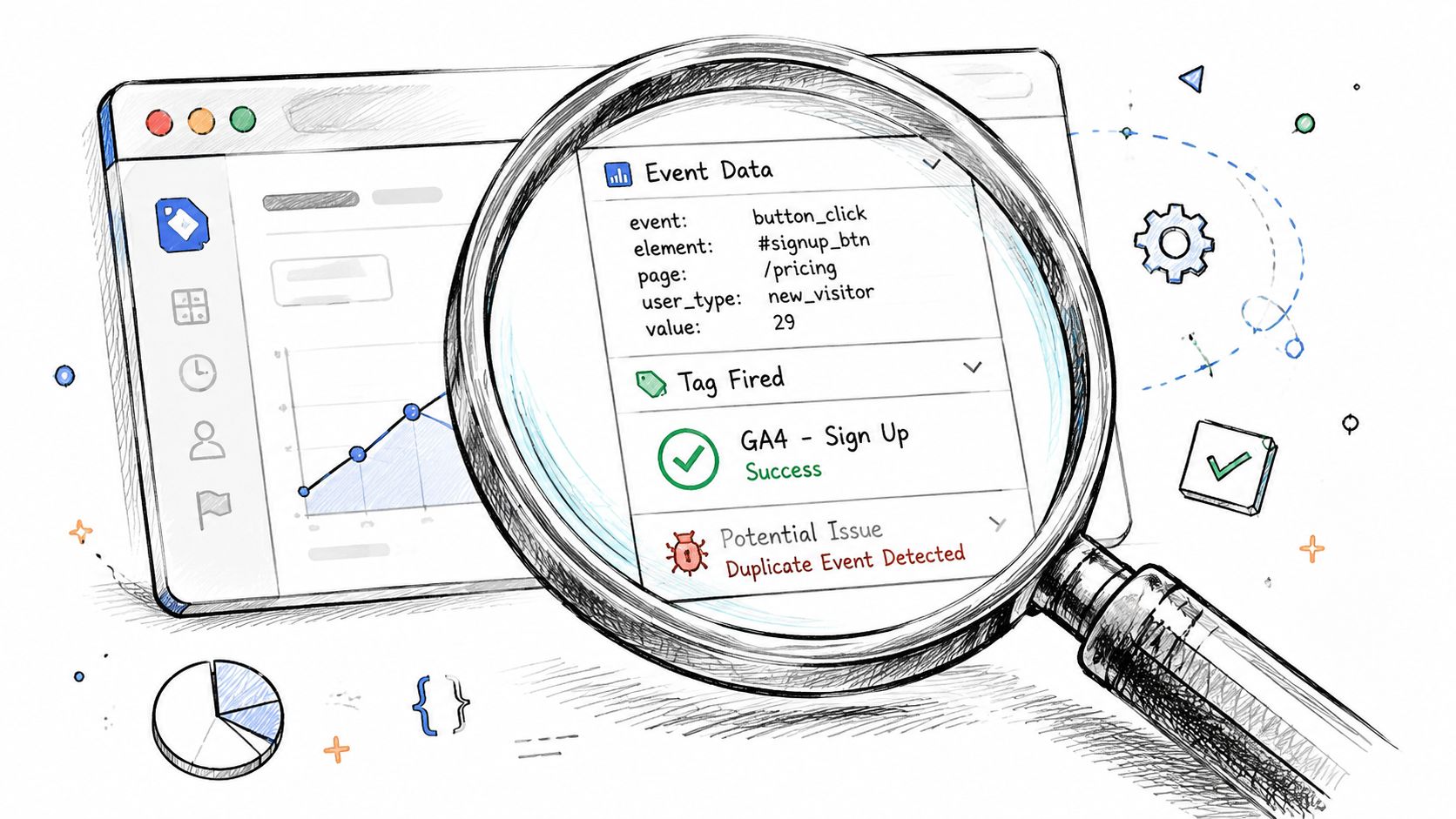
What to check in Preview mode
GTM Preview shows how the container interpreted the page. That sounds basic, but it catches a lot of expensive mistakes.
Run the action you want to track and inspect these points in order:
Did the right event appear in the timeline?
If the event never shows up, GTM did not detect the interaction you thought it would.Did only the intended tag fire?
One tag firing is good. Three tags firing for the same action is how duplicate conversions creep into GA4 and ad platforms.Did the variables resolve to real values?
A tag can fire with blankclick_text, the wrong form ID, or an old page path from a previous state.Did the trigger fire on the exact element users click?
A selector that works on the button but misses the nested span, icon, or mobile variant will fail in production.
The gap between "configured" and "usable" often becomes apparent to teams. A click trigger can look right in GTM and still miss the actual user path because the site uses delayed rendering, a third-party widget, or a JavaScript state change that never creates the browser event you expected.
How to confirm GA4 is receiving the event
Preview mode proves GTM tried to send the hit. It does not prove GA4 accepted it the way you intended.
Open GA4 DebugView after your GTM test and repeat the action. Check the event name first. Then check the parameters. Then confirm you are in the correct property and stream. I have seen teams spend hours debugging a "missing" event that was sent perfectly to the wrong property.
For conversion events, test the full path, not just the first visible interaction. If consent affects tag behavior, verify that state too. A clean Preview test under full consent does not tell you what happens for real users under default denied states. If consent mode is part of your setup, review this Consent Mode V2 rescue plan for GTM and GA4 before you sign off on attribution.
Here's a walkthrough if you want to see the debugging flow in motion:
A fired tag is only proof that GTM sent a request. It is not proof that your reporting is decision-grade.
A pre-publish QA list
Before publishing a container version, run a short checklist and document the result. Screenshots help. So does writing down the exact URL, test conditions, and expected payload. That paper trail matters later when someone asks whether a drop is real or just a tracking change.
Trigger check: Test the target action and a near match that should stay silent.
Element check: Inspect the live DOM and confirm your selector matches the clickable element.
Parameter check: Verify every required value populates correctly, including empty states and odd inputs.
Duplication check: Watch for the same event firing from GTM, hard-coded scripts, and platform plugins at the same time.
Scope check: Confirm the event fires on the right pages, devices, and logged-in or logged-out states.
GA4 check: Confirm the event appears in DebugView with the exact name and expected parameters.
Reporting check: Revisit standard reports after processing and make sure the event lands where your team will read it.
The goal is not a prettier GTM workspace. The goal is a measurement record you can defend when spend shifts, conversion rates move, or an investor asks why marketing numbers do not match product and sales. Debugging is where messy event tracking starts becoming audit-ready.
Level Up Avoiding Common Pitfalls and Using Advanced Tactics
Basic event tracking gets you visibility. Mature event tracking gets you trust.
The difference usually isn't more tags. It's cleaner architecture, less duplication, and fewer hidden contradictions between GTM, hard-coded scripts, consent logic, and ad platforms.
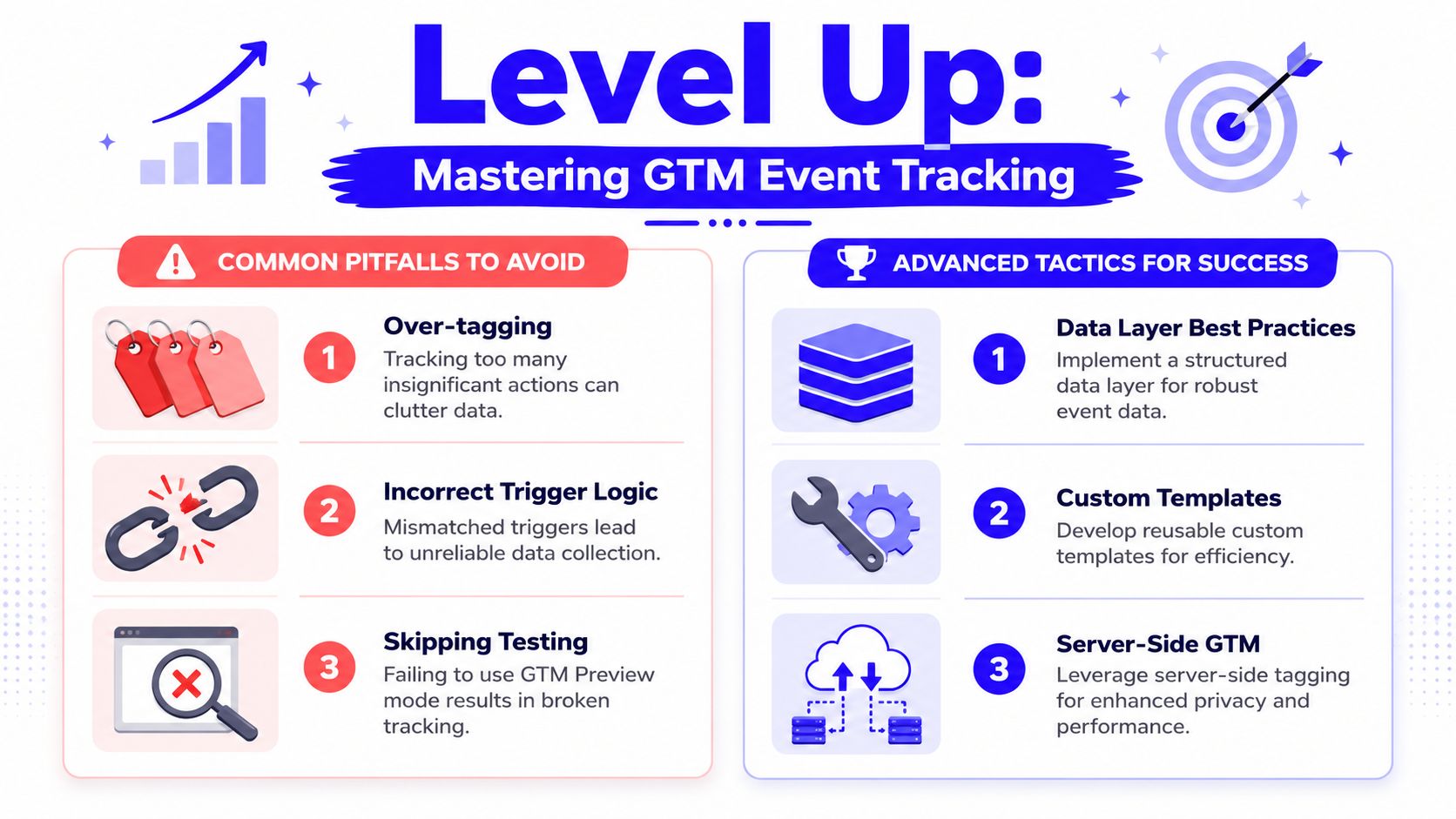
The mess that breaks otherwise good tracking
The most dangerous tracking problems aren't loud. They look “mostly fine” until someone compares systems and notices the gaps.
Bounteous reports that improper GTM trigger configuration drives around 40% of event tracking failures, and highlights Pass-Through Events as a key issue. That's when old hard-coded Google Analytics calls remain on the page instead of being fully migrated into GTM. They note this persists in about 25% of legacy implementations and leads to data gaps and inconsistent attribution. The same piece also notes that structured naming conventions can reduce debugging time by up to 35%, and that deferring non-essential tags past Window Loaded can reduce page-load impact by up to 20% (Bounteous on avoiding pass-through events).
That's a lot of pain caused by one simple mistake: two systems trying to describe the same behavior differently.
Pitfalls I'd fix before adding anything fancy
Pass-through leftovers
If the site still fires old analytics calls outside GTM, remove them or isolate them clearly. GTM should be the source of truth for tracking definitions.Over-tagging
Tracking every hover, micro-click, and UI twitch creates noise. If nobody will act on it, cut it.Lazy trigger scope “All Pages” is often a confession, not a strategy. Tighten triggers to the pages and states where the event matters.
Inconsistent names
If one event usesplan_typeand another usespricingTier, your reporting becomes translation work.
The cleanest container usually wins. Not the most elaborate one.
Advanced tactics that actually earn their keep
Once the basics are stable, a few upgrades make the system stronger without turning it into a science project.
Use naming conventions like they matter
They do. Bounteous specifically calls out structured naming and logical categorization as a debugging advantage in larger setups, and in practice it helps even small teams. Prefix tags by platform if helpful. Group triggers by behavior. Name variables so anyone can tell whether they're click variables, constants, or dataLayer values.
A container should read like a system, not a junk drawer.
Separate browser-observed events from business-confirmed events
A click on “Start Trial” is browser-observed. A successful account creation is business-confirmed. Keep both if useful, but don't mix them.
This one distinction improves reporting quality more than is commonly assumed. It also helps when you later sync conversions into ad platforms or CRM records.
Build for consent and platform reality
As privacy rules and browser restrictions tighten, browser-side tags alone become less dependable. That doesn't mean client-side GTM is obsolete. It means you should think beyond it.
For teams working through consent logic and attribution resilience, this guide to Consent Mode V2 technical rescue planning is the right next layer.
Know when server-side GTM enters the conversation
Server-side tagging and Conversion API setups are not mandatory for every startup on day one. They are useful when:
Ad platforms need stronger first-party data flows
Browser limitations are causing signal loss
You need tighter control over what gets sent where
You want cleaner integration between web, CRM, and ad destinations
Don't jump there because it sounds advanced. Jump there when your current setup is stable enough that the next bottleneck is data durability, privacy control, or ad platform match quality.
A practical maturity test
Ask these four questions:
Can you trace a key event from website action to GTM to GA4 consistently?
Is GTM the single source of truth for your event definitions?
Can another person audit the container and understand what fires, where, and why?
Would you trust this setup in a budget meeting?
If the answer to any of those is no, keep cleaning. Fancy infrastructure won't fix confused logic.
From Data Chaos to Decision Clarity
The win here isn't that you learned where the Trigger menu lives in GTM. It's that you now know how to build a tracking system a business can rely on.
Reliable event tracking in Google Tag Manager comes down to a few key principles. Plan the events before you build them. Use names that survive growth. Prefer structured dataLayer inputs over brittle guessing when the action matters. Test every important event from browser interaction through GA4. Keep the container organized enough that someone else can audit it without a decoder ring.
That's how you move from messy data to credible attribution.
Once this foundation is in place, the rest of your stack gets better. Paid media optimization gets sharper. SEO content analysis gets more useful. CRM automation becomes more trustworthy because the events flowing into it mean what the label says they mean. If you've ever seen ad platforms and CRM records tell conflicting stories, you already know why CRM tracking mistakes can quietly wreck ROAS).
The work is detailed, and parts of it are annoying. Debugging selectors isn't glamorous. Chasing hard-coded leftovers isn't fun. But once the system is clean, your team stops debating opinions and starts working from evidence. That's worth the effort every time.
If you want help building tracking that a founder, finance lead, or investor would trust, Du Marketing can set up and clean up the full stack. That includes GTM, GA4, server-side and CAPI integrations, CRM sync, attribution QA, and the reporting layer that turns raw events into decisions.