Marketing Reporting Automation: Go from Chaos to Clarity

You're probably living inside three different realities right now.
In Google Analytics 4, paid search looks solid. In Meta Ads, retargeting appears to be carrying the quarter. In HubSpot or Pipedrive, the deals that closed seem to come from somewhere else entirely. Then someone exports everything into a spreadsheet, wrestles with mismatched campaign names, patches gaps with “best guesses,” and sends a report that nobody fully trusts.
That's the fundamental problem with marketing reporting automation. Many teams think they need a dashboard. What they need is an audit-ready attribution system that survives scrutiny from finance, sales, and the founder who wants to know one thing: which marketing spend turned into revenue.
The good news is that this is fixable. The bad news is that most guides skip the hard part. They show you how to automate charts, not how to connect ad platforms, website events, CRM stages, and offline conversions into one reporting system that you can defend in a budget meeting.
Table of Contents
Beyond Pretty Charts The Case for Real Automation
A startup spends six figures on paid acquisition, opens Looker Studio, and still cannot answer a simple question. Which campaigns created pipeline, and which ones just bought cheap clicks?
That happens when reporting automation starts at the dashboard instead of the source of truth. A connector pulls spend, clicks, and conversions into a clean chart. Everyone feels better for a week. Then finance asks for revenue by campaign, sales disputes lead quality, and growth teams start making budget decisions off partial data.
I see the same mistake over and over. Teams automate visibility before they automate attribution. The result is a reporting stack that looks polished but fails the moment someone asks for an audit trail from ad click to closed revenue.
The standard for real automation is higher. You need a system that records the journey consistently, preserves campaign context across tools, and ties marketing activity to CRM outcomes your leadership team trusts. If you cannot trace a number back to the platform event, the session, the lead record, and the deal stage, you do not have an automation system. You have a reporting layer with gaps.
One useful point from this discussion of the insight-to-action gap in automated reporting is that time saved on reporting does not automatically produce better decisions. That part matters more than many teams expect. Cutting manual reporting hours is helpful. Cutting wasted spend because you trust the attribution path is what changes the business.
Practical rule: If a report can't tell you what to cut, what to scale, and what to fix, it isn't operational reporting.
In practice, real marketing reporting automation has three jobs:
Capture clean inputs: The same campaign, user, and conversion logic has to survive ad platforms, analytics, and CRM handoffs.
Connect cost to revenue: Clicks and form fills need to resolve to opportunities, pipeline stages, and closed-won revenue.
Support fast decisions: The team should be able to pause waste, reallocate budget, and explain why with evidence they can defend.
Pretty charts are easy to buy. Audit-ready attribution is harder to build, but it is the part that keeps your budget reviews honest and your optimization loop tight. That is the difference between reporting that describes activity and reporting that helps you act on it.
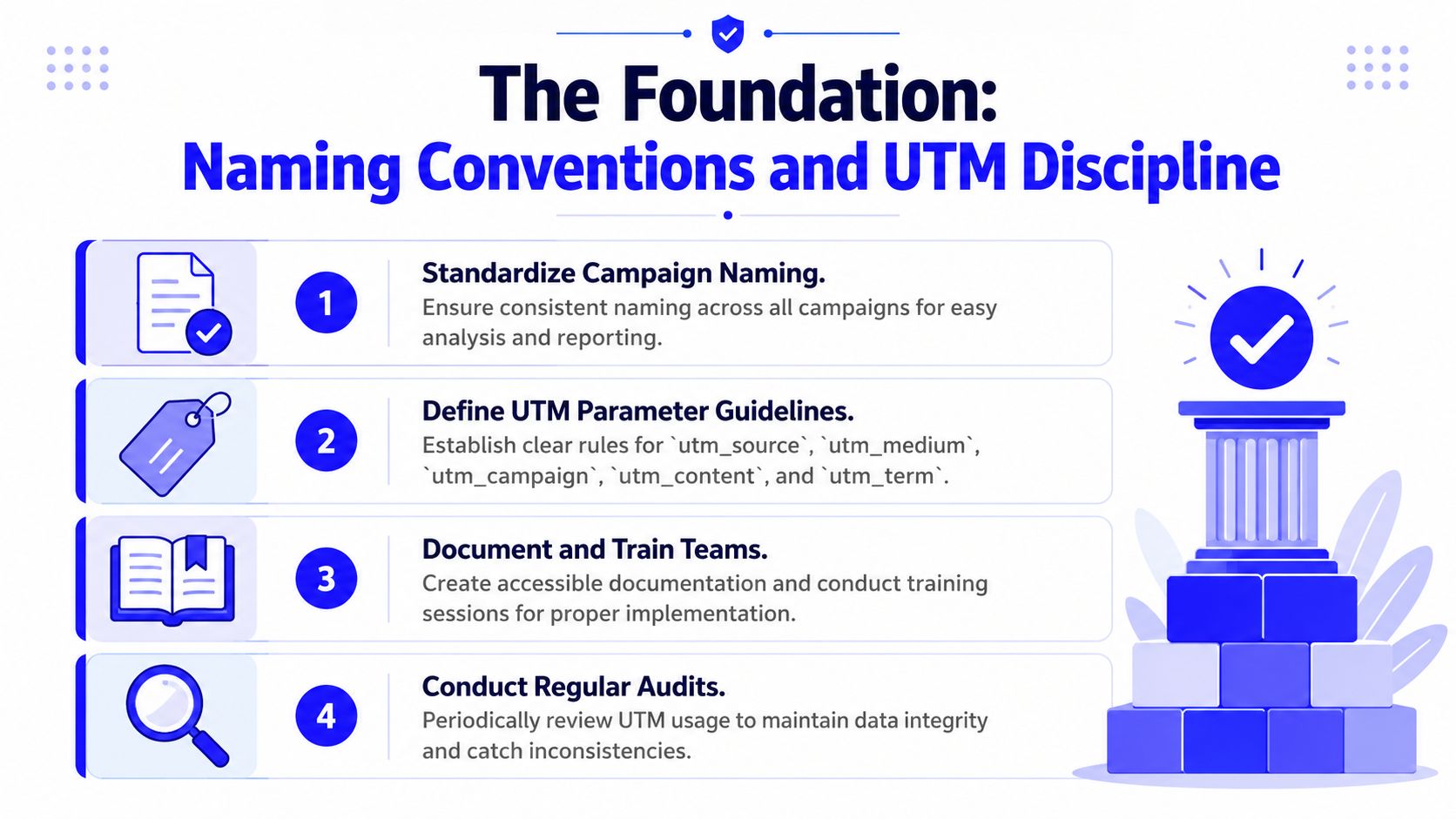
The Foundation Naming Conventions and UTM Discipline
Most attribution problems start before a visitor even lands on the site.
They start when one person names a campaign Q1_Brand_US, another uses q1-brand-us, and someone in paid social decides brand-awareness-jan feels close enough. Once that mess enters GA4, your CRM, Looker Studio, and ad platform imports, every downstream report gets more fragile.
A lot of teams want to skip this part because it feels administrative. That's expensive. The top barrier to marketing automation success is lack of strategy, cited by 52% of organizations, and a strong data governance approach that starts with naming conventions is the first fix, according to EmailMonday's overview of marketing automation statistics.
Lowercase wins and free text loses
The cleanest UTM systems are boring on purpose. Use lowercase everywhere. Replace spaces with hyphens. Ban special characters unless a platform forces them. Don't let channel managers invent labels on the fly.
A simple structure works well for most startups:
Field | What it should contain | What to avoid |
|---|---|---|
| platform or publisher like google, linkedin, meta | team names, audience names |
| channel type like cpc, paid-social, email | vague labels like paid or traffic |
| business-readable campaign slug | dates, random internal notes, emojis |
| ad or creative variation | broad campaign descriptions |
| keyword or audience term when useful | stuffing every targeting detail |
The point isn't academic purity. The point is joinability. If your warehouse, CRM, and ad exports can't match fields cleanly, attribution falls apart.
A schema people will actually follow
The best naming convention is the one your team can remember under pressure. That means keeping it short and documented. Every startup I've seen get this right maintains one shared sheet or internal doc with approved values, examples, and forbidden patterns.
Use a convention like this:
Campaign slug:
region-audience-offer-stageAd content slug:
format-hook-variantEvent names: verb-first and product-neutral, such as
form_submit,demo_request,pricing_view,trial_start
Avoid event names that depend on page layouts or campaign context. cta_click_homepage_blue_button feels specific, but it ages terribly. demo_request survives redesigns and still means something inside the CRM.
Bad naming forces analysts to clean data forever. Good naming turns cleanup into validation.
The mistakes that quietly poison reporting
A few failures show up over and over:
Mixed case fields:
LinkedInandlinkedinbecome separate rows somewhere in the stack.Using
utm_campaignas a notes field: Campaign names should be stable identifiers, not mini project briefs.Letting agencies or freelancers improvise: External partners must use your schema, not their own.
Changing labels mid-flight: If naming changes halfway through a campaign, reporting continuity breaks.
This part feels strict because it should be. Marketing reporting automation only works when the inputs are predictable. Freedom at the naming layer creates chaos at the decision layer.
The Engine Room GTM GA4 and Server-Side Tracking
Once naming is stable, the next job is collecting the right signals without relying on luck.
Most startup tracking setups are underbuilt. They fire a GA4 pageview, maybe a form submit, and call it done. That's not enough if you want to understand which campaigns generated qualified pipeline instead of cheap clicks.
Properly implemented marketing automation generates 80% more leads, a 77% higher conversion rate, and a 14.5% increase in sales productivity compared with manual processes, according to Digital Applied's 2026 marketing automation data points. That kind of lift depends on accurate data capture. If the event layer is sloppy, the reporting layer can't rescue it.
What each part of the stack actually does
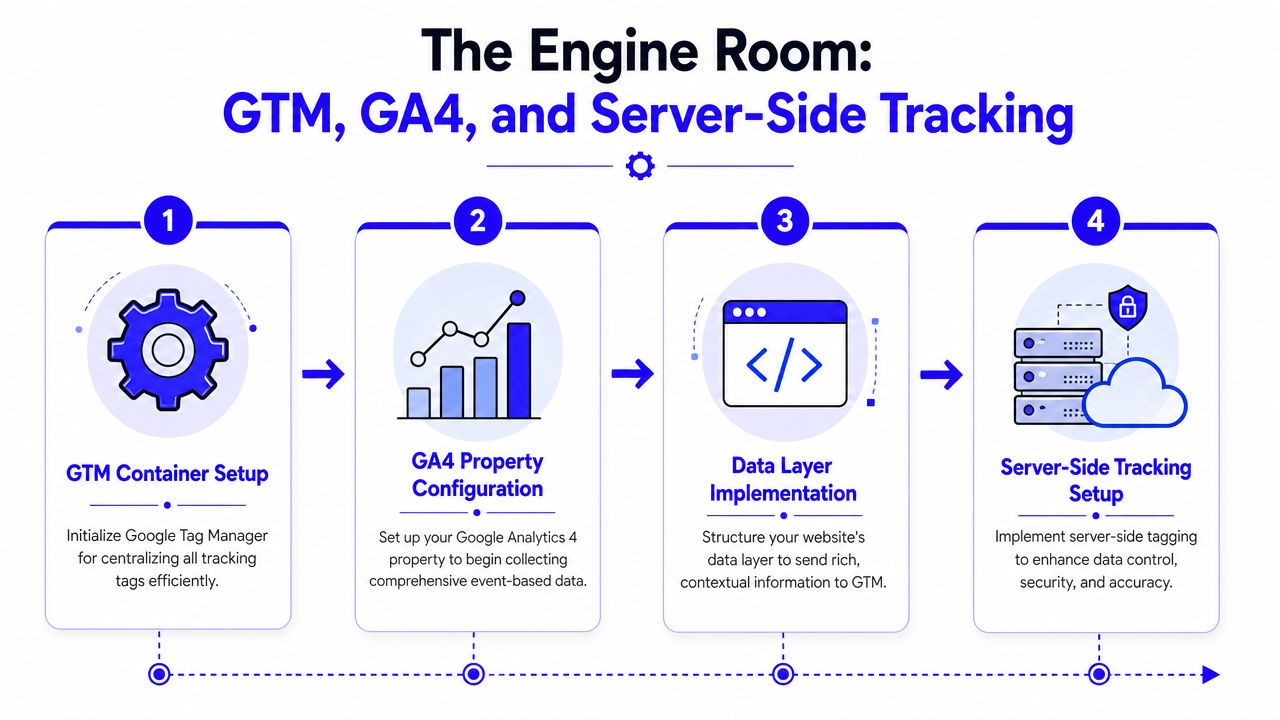
Google Tag Manager is your control panel. It centralizes tag logic so you're not hard-coding every tracking change into the site.
GA4 is the event ledger. It records what users did, with parameters that give those events context.
Server-side tracking adds a second route for critical data. In practice, that usually means server-side GTM plus platform-specific integrations like Meta Conversion API. This helps preserve signal quality when browsers, blockers, and privacy controls strip away client-side data.
A simple mental model helps:
GTM listens for user actions and reads the data layer.
GA4 stores those events in a structured format.
Server-side tagging forwards important conversion signals more reliably to ad platforms and analytics destinations.
The data layer matters more than most tags
Teams often obsess over tags and ignore the data layer. That's backward. The data layer is where you define what happened in a way every platform can understand.
For a lead generation startup, a healthy data layer usually includes:
Page context: page type, product line, content category
Form context: form ID, form type, intent level
Conversion context: event name, lead type, offer name
Attribution context: stored UTMs, landing page, referrer when available
If those values aren't structured, you get vague event streams that look busy but don't support decisions.
Don't track everything. Track what sales and finance care about
A lot of bad setups produce endless events with no business value. Scroll depth, random click classes, timer-based engagement, and decorative button interactions can flood the property while hiding the few actions that matter.
Track the moments that move a user toward revenue. For most startups, that means things like:
High-intent submissions: demo requests, contact forms, quote requests
Commercial behavior: pricing page views, product comparison interactions
Lifecycle transitions: trial starts, booked calls, qualified lead creation
Server-side tracking doesn't fix a weak measurement plan. It makes a strong one more durable.
The point of this engine room isn't technical theater. It's trust. When stakeholders question the numbers, you need a collection setup that can survive that conversation.
Closing the Loop CRM Sync and Offline Conversions
This is the line between marketing analytics and revenue analytics.
GA4 can tell you that a visitor submitted a form. It cannot tell you whether that lead turned into a real opportunity, stalled in qualification, or closed six weeks later at a healthy contract value. Your CRM holds that truth. If your reporting stack stops at website conversions, you're optimizing for the shallow end of the funnel.
That's why offline conversion upload and CRM sync are the steps startup guides tend to skip, creating a siloed insight problem and leaving 14.5% of sales productivity potential unrealized, as described in Hello Operator's review of AI tools for automated marketing reports.
What has to pass from forms into the CRM
At minimum, your forms should pass hidden attribution fields into HubSpot, Pipedrive, or whichever CRM runs your pipeline. If you don't capture those fields at submission time, you're forced to reconstruct attribution later, and later is where accuracy goes to die.
The hidden fields usually include:
Original UTMs: source, medium, campaign, content, term
Landing page details: first page, conversion page, timestamp
Click identifiers when available: ad platform identifiers that help match later
Session context: device or channel details if your stack supports it cleanly
The CRM record should preserve first-touch and latest-touch values separately. Don't overwrite one with the other. You'll regret that the first time sales asks whether branded search is just harvesting demand created elsewhere.
Offline conversions are where ad platforms get smarter
Here's the uncomfortable truth. If you only send “lead” conversions back to Google Ads, Meta, or LinkedIn, those systems will often chase the easiest leads, not the best ones.
When you upload downstream milestones like qualified lead, opportunity, or closed-won, you train the platform on actual business outcomes. That's how you stop paying for low-quality volume that flatters top-line dashboards and wrecks pipeline efficiency.
A useful companion read on the operational mistakes behind this problem is these CRM tracking blunders that break ROAS feedback loops).
Your ad platform is only as smart as the conversion event you feed it.
What doesn't work
The duct-tape version usually looks like this: marketing exports leads from one system, sales updates stages manually somewhere else, and someone tries to join them in a sheet at month-end. That process creates disputes, not insight.
What works is stricter:
Weak setup | Audit-ready setup |
|---|---|
Website reports leads only | Website and CRM share attribution fields |
CRM stages live in isolation | Lifecycle stages flow back to ad platforms |
Marketing optimizes to CPL | Marketing optimizes to qualified pipeline and revenue |
Monthly manual exports | Scheduled syncs and repeatable mapping rules |
This is the part founders think they can postpone. They shouldn't. Without CRM sync and offline conversions, marketing reporting automation stays cosmetic.
The Data Pipeline ETL for Attribution
Once website tracking and CRM sync are in place, you need a place where those records can live together without constant manual work. That's your pipeline.
ETL sounds more intimidating than it is. It functions much like a production line for data. Raw inputs come in from GA4, ad platforms, and the CRM. The system cleans them up, lines them up, and sends them into a warehouse where reporting can happen without spreadsheet gymnastics.

Extract means fewer exports and fewer human fingerprints
At the extraction stage, you pull data from source systems on a schedule. For startups, this often starts with lightweight tools like Zapier or Make. For more complex stacks, native connectors, warehouse sync tools, or direct APIs become worth the effort.
The practical rule is simple. Use the least complicated extraction method that still gives you stable, inspectable records.
A lean startup stack often looks like this:
GA4 to warehouse: usually via native export or supported connector
CRM to warehouse: contact, company, deal, stage, and revenue fields
Ad platform spend data: campaign, ad set, ad, and cost fields for reconciliation
If you're doing B2B paid search and trying to connect keyword intent to downstream revenue, the thinking in this B2B paid search strategy guide becomes much more useful once the data lands in one place.
Transform is where attribution becomes credible
Transformation is the neglected middle. During this stage, you standardize fields, fix mismatches, preserve timestamps, and decide how records join.
Some joins are straightforward. A form submission ID may connect neatly to a CRM lead record. Others are messy and require fallback logic using email, click IDs, or timestamp windows.
A sound transform layer does a few boring but critical things well:
Normalizes names: campaign labels, sources, mediums, and stages
Preserves raw values: so you can audit what came in versus what was cleaned
Creates reporting tables: channel spend, lead records, opportunities, and closed revenue in a structure BI tools can use
If you can't explain how a deal was matched back to a campaign, you don't have attribution. You have hope.
Load should serve decisions, not vanity
The load step sends the cleaned model into a destination like BigQuery, where Looker Studio can query it. The mistake here is shoving every raw table into a dashboard and calling it a day.
Instead, create purpose-built tables for reporting questions. One for spend by channel. One for leads by source and quality stage. One for opportunity and revenue attribution. One for pacing and trend monitoring.
That design choice matters. Good marketing reporting automation doesn't just centralize data. It shapes it into something your team can trust quickly, without needing an analyst to decode every chart.
The Payoff Building Live Dashboards in Looker Studio
Here, the stack finally feels worth it.
You open Looker Studio on a Monday morning. Nobody is waiting on a spreadsheet. Nobody is arguing over whether the Meta export used the right date range. The dashboard is live, connected to the warehouse, and filtered by the same naming logic and CRM mappings the rest of the system uses.

Three questions a useful dashboard should answer fast
The first question is usually about channel quality. Not just who generated leads, but who generated movement through the pipeline. LinkedIn may look expensive on the surface and still be your best source of qualified demand.
The second is campaign efficiency. Which campaign created pipeline, not just form fills. An audit-ready model proves valuable for avoiding the overfunding of low-intent offers.
The third is revenue accountability. Did the spend create deals that closed, and how long did that take? Without that view, every optimization conversation stays trapped in short-term metrics.
A dashboard that supports those questions usually includes:
Executive summary cards: spend, leads, qualified pipeline, closed revenue
Channel table: source and medium with spend, lead volume, stage progression
Campaign drilldown: campaign to opportunity and revenue views
Trend charts: week-over-week movement in cost, lead quality, and pipeline creation
Sales feedback views: lead source quality by owner, segment, or lifecycle stage
A strong companion framework for choosing those views is these marketing metrics that matter more than misleading dashboard filler).
What a normal review looks like after the stack is working
A founder asks why paid social spend increased but pipeline didn't. You filter the dashboard by channel, then by campaign. One campaign drove lead volume, but the CRM stage table shows those leads stalled early. Another campaign produced fewer leads but much healthier opportunity creation.
That's a budget decision in minutes, not an argument over exports.
Later in the week, sales says a webinar campaign produced “junk leads.” The dashboard shows source-to-stage conversion by campaign, so you can validate the complaint instead of treating it like folklore.
Here's a walkthrough that pairs well with that operating rhythm:
The dashboard is not the product
Teams frequently repeat a misstep. They build a nice Looker Studio report and think they're finished. They're not. The dashboard is just the interface. The product is the decision system behind it.
The best live dashboards feel almost boring. Clear labels. Tight filters. No chart graveyard. They help the CEO, the growth lead, and sales all answer slightly different questions from the same underlying truth.
Keeping It Clean QA Monitoring and Monthly Cadence
The reporting stack usually fails in a boring way.
Nobody notices the break the day it happens. A paid social campaign goes live with off-spec UTMs. A developer updates a form and drops one hidden attribution field. Sales renames a lifecycle stage in the CRM without telling marketing. The dashboard still loads, the charts still look polished, and the team keeps making budget calls off numbers that no longer tie back cleanly to revenue.
That's why QA is part of attribution, not admin. If you want an audit-ready system, you need to prove that the path from click to opportunity to closed revenue still holds up under inspection. As noted earlier, the market keeps pouring money into automation. The teams that get value from it are the ones that treat data hygiene like operating discipline, not a cleanup project they revisit after a bad quarter.
A monthly QA routine that catches the expensive failures
This does not require a big analytics team. It requires one owner, a checklist, and the discipline to run it on schedule.
Use a monthly review like this:
Check attribution inputs: Review new campaign names, UTMs, and landing page URLs for schema drift before bad naming spreads across reports.
Validate event collection: Confirm key GA4 events still fire with the parameters your attribution model depends on.
Spot CRM gaps: Check recent leads and opportunities for missing first-touch, latest-touch, and campaign source fields.
Review stage mapping: Make sure CRM lifecycle stages still map correctly to reporting tables and ad platform offline conversion imports.
Test the full audit trail: Pull a sample of records and trace each one from ad click to form fill to CRM outcome. If the trail breaks, fix that before discussing performance.
That last step is the one startup teams skip. It is also the step that keeps you from defending bad numbers in a board meeting.
The cadence that turns reporting into action
Weekly checks catch breakage early. Monthly reviews decide where money moves.
A useful monthly performance meeting should answer three questions:
Question | What you review | What action follows |
|---|---|---|
What created qualified demand? | Channel and campaign stage progression through the CRM | Reallocate budget |
Where did data quality slip? | UTM errors, broken events, missing syncs, stage mismatches | Fix instrumentation and ownership |
Which offers failed after the click? | Landing page behavior paired with CRM outcome patterns | Adjust creative, targeting, or page UX |
This is the part many teams get wrong. They spend the meeting debating top-line lead volume because that data is easy to pull. Revenue teams need to review progression, lag, and failure points instead. A campaign that drives fewer leads but better opportunity creation should usually win more budget. A high-volume campaign with broken attribution should usually lose trust until the tracking is fixed.
Clean reporting protects budget decisions, forecast quality, and channel accountability.
Marketing reporting automation works when it closes the loop between insight and action. That means rules, owners, QA checks, and a monthly cadence that ties ad spend to CRM revenue in a way you can defend. Without that, you do not have an attribution system. You have a dashboard.
If you want help building an audit-ready reporting stack that connects GA4, GTM, server-side tracking, CRM sync, offline conversions, and live dashboards into one system, Du Marketing does exactly that for startups that need clear attribution without hiring a full analytics team.