6 Zapier Workflow Examples Every Startup Needs in 2026

Most startup teams don't have an automation problem. They have a workflow design problem. They connect one form to one CRM field, call it done, then wonder why leads disappear, campaigns launch with broken tracking, and sales keeps asking marketing for “cleaner data.”
Why Zapier automations matter for startups is simple. They let a lean team run repeatable processes without adding headcount, while reducing the sloppy handoffs that wreck attribution and follow-up. The core win isn't just saved effort. It's cleaner execution, fewer manual fixes, and faster decisions.
Zapier is especially useful when growth depends on many small systems behaving like one system. Ads, forms, CRM, email, reporting, content ops, and support rarely fail because the tools are bad. They fail because nobody connected the steps, logic, and ownership clearly.
That's where strong Zapier workflow examples help. Not generic “when X happens, send Slack message” fluff. Real workflows for startup growth teams that need lead routing, campaign operations, offline conversions, CRM hygiene, and revenue tracking to work together.
Below are six options worth your attention. Some are template libraries. Some are editorial guides. Some are official docs from Google and Pipedrive. All of them are useful if you want automations that behave like operating systems, not novelty demos.
Table of Contents
5. Google Ads Help Set up lead exports and offline conversion imports with Zapier
6. Pipedrive Knowledge Base Zapier What It Is and How to Use It
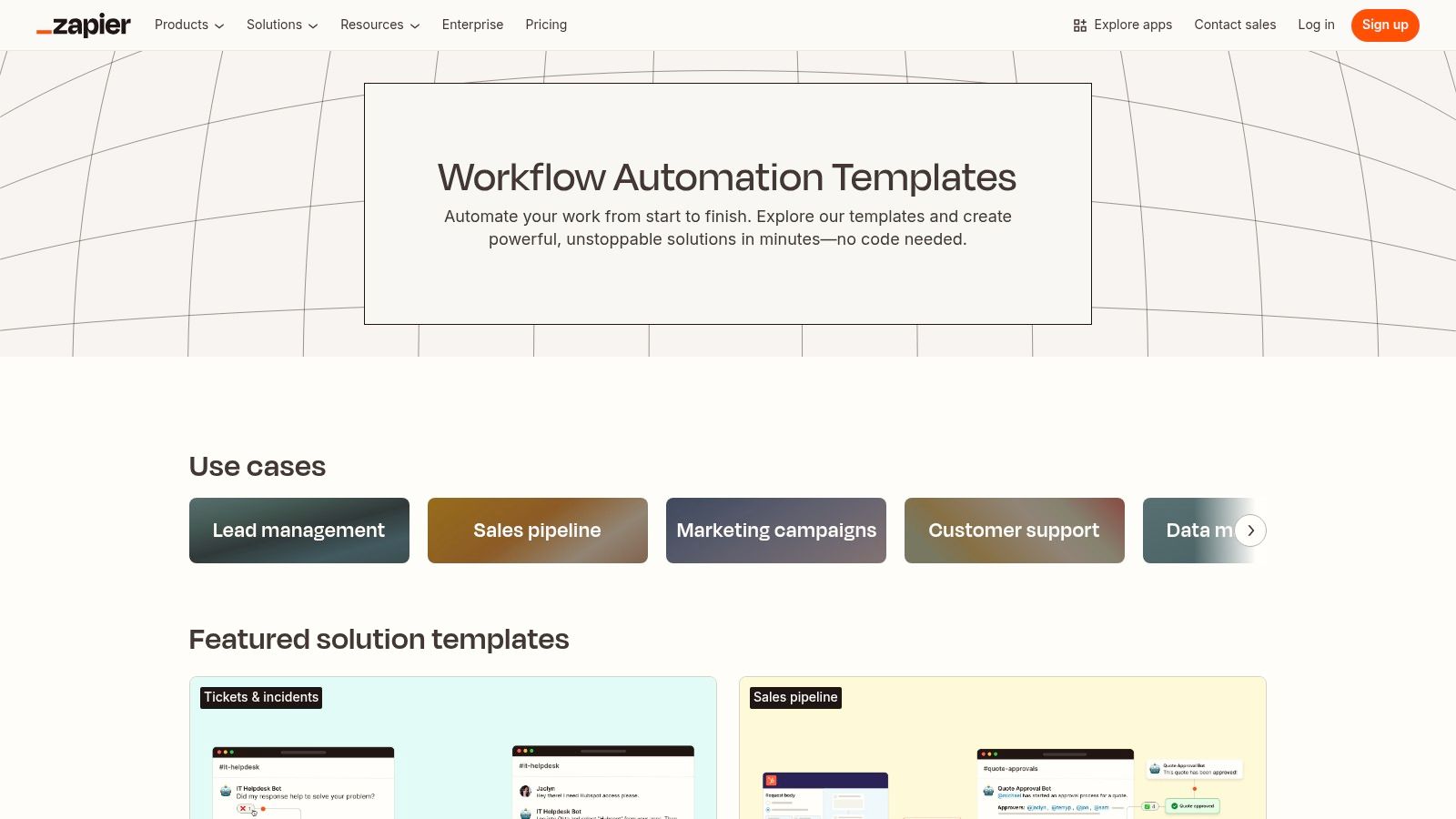
1. Zapier Templates Library

If you want the shortest path from idea to live automation, start with the Zapier Templates Library. It's the practical choice for founders and growth operators who need a working baseline before they need elegance.
Rather than building from a blank canvas, it's often more effective to copy a known-good structure, swap in relevant apps, tighten the logic, and launch. That's exactly what a template library is for.
Why it's the fastest starting point
Zapier's own workflow documentation is a strong reason to trust the broader template ecosystem. Its curated set of 16 workflow examples every team can use shows complete, multi-step business processes rather than isolated app connections. That matters because startups usually need full sequences with approvals, handoffs, scheduling, tracking, and review.
One example maps a marketing campaign from creative production through compliance review, operations verification of tracking setup, platform launch, metric monitoring like CPC and conversion rate, and post-launch adjustment. Another maps a content operations process across 9 steps, including adding visuals and SEO elements, scheduling in the CMS, promoting across email and social, and feeding analyst insights into future planning.
Practical rule: Don't judge a Zap by its trigger. Judge it by how many downstream mistakes it prevents.
Best startup use cases
The template library is best when you need standard patterns across a small team or across multiple clients.
Lead capture and CRM sync: Start with a template, then add validation before records hit HubSpot or Pipedrive.
Content operations: Use a prebuilt flow for publishing and promotion, then bolt on QA steps for metadata, links, and UTM rules.
Campaign launch coordination: Copy a template that touches your project tool, storage, communication app, and ad platform so launch prep doesn't live in someone's memory.
Its weaknesses are predictable. Public templates won't always include the heavier logic you need, such as custom paths, code steps, or webhook work. And if your workflow spans premium apps or high task volumes, you'll still need the right Zapier plan.
For raw speed, though, this is the winner. If your team has no automation standard yet, you can establish one here first.
2. Zapier Marketing Automations & AI Workflows
The Zapier Marketing Automations collection is where growth teams should go when generic app-pairing templates stop being enough. This section of Zapier is closer to outcome-driven automation. Better lead handling, cleaner campaign operations, and stronger reporting loops.
That distinction matters. Startups don't buy automation for fun. They buy it because campaign execution, CRM updates, and attribution break under pressure.
Where this collection earns its place
The strongest startup angle here is marketing ops depth. The best Zapier workflow examples aren't one-click gimmicks. They're logic-based systems that screen, route, enrich, and escalate records properly.
A useful outside breakdown of that logic appears in Alltomate's analysis of Zapier workflow examples. It highlights four automation patterns that show up constantly in growth operations: lead intake, marketing follow-up, operations handoff, and support escalation. The difference between a basic Zap and a reliable workflow comes down to filters, paths, multi-step updates, and error handling.
Their lead intake example is exactly how startups should think. A new form submission triggers the workflow, the CRM is searched for an email match, records are filtered for required fields, and then logic routes the submission toward update, create, assignment, alerting, or manual review.
If you're building startup marketing infrastructure, that's the standard. If you need a framework for planning that infrastructure, pair this collection with Du Marketing's guide to a marketing automation workflow.
Configuration moves that matter
This collection works best when you configure for operational discipline, not convenience.
Map source data carefully: Preserve original lead source, campaign name, ad platform, and form ID.
Use branching logic early: Separate existing contacts from net-new contacts before any email or owner assignment fires.
Create an exception lane: Bad submissions should go to review, not directly into your CRM.
Reliable automations don't just move data. They reject bad data before it spreads.
Zapier also points to a newer opportunity around AI workflow orchestration in its AI workflows guide. The gap is obvious in startup attribution. It is common for teams to automate simple AI tasks, but far fewer orchestrate multi-step AI flows that consolidate paid media interactions, enrich leads, and sync offline conversions back to revenue systems. For growth teams running Google and Meta without dedicated data engineering support, that's a serious opening.
3. Zapier Blog 12 Essential Marketing Automation Examples
The Zapier guide to marketing automation examples is for teams that need pattern recognition before implementation. It's less about copying a single template and more about seeing how acquisition, nurture, handoff, and retention connect.
That's useful when your stack is messy. A lot of startup teams know they need automation, but they haven't decided where a template ends and a custom build begins.
Best for teams that need context, not just templates
This is the best pick if your team keeps asking, “What should we automate first?” It helps marketing operators connect tactical choices to the actual customer journey.
Use it when you need to sort workflows by purpose:
Acquisition workflows: Form capture, qualification, routing, alerts.
Lifecycle workflows: Welcome emails, nurture steps, lead status updates.
Retention workflows: Follow-up after key product or support events.
AI-assisted workflows: Drafting, categorization, summaries, and orchestration support.
The value here is judgment. A lot of teams over-template early and under-design the data model. This kind of editorial guide slows you down just enough to make better architecture decisions.
How to apply these examples without making a mess
Start with one funnel stage. Don't try to automate your entire growth engine in a weekend.
A clean rollout looks like this:
Pick one trigger family: New form fills, booked meetings, trial signups, or qualified support tickets.
Define one source of truth: Decide whether the CRM, spreadsheet, or database owns record status.
Attach one success signal: That might be successful sync, routed lead, completed follow-up, or conversion upload.
This is also where many teams discover they need more than editor screenshots. They need operational ownership. Someone has to decide which fields are required, which statuses are valid, and who gets notified when automation fails.
Use editorial examples to shape the workflow. Use your CRM rules to keep it honest.
The downside is straightforward. The article can't know your exact schema, lifecycle stages, or custom objects. You still have to do the gritty work of mapping fields and testing edge cases. But if your team keeps building disconnected Zaps with no broader system, this guide is a corrective.
4. Zapier Blog 11 Essential HubSpot Workflows for 2026

If HubSpot is your growth backbone, skip broad advice and go straight to the HubSpot workflow examples from Zapier. HubSpot-led startups don't need more generic automation inspiration. They need workflows that respect lifecycle stages, contact ownership, and property hygiene.
This matters most for B2B teams where sales and marketing share one CRM but don't share one process.
Why HubSpot teams should start here
HubSpot workflows fail for boring reasons. Duplicate contacts. Broken owner assignment. Missing original source detail. Follow-ups firing before qualification. This resource helps teams focus on the workflows that prevent those problems.
It's a strong fit for:
Inbound lead routing: Move form, ad, or scheduler leads into the right owner queue.
Enrichment and qualification: Add context before a rep touches the record.
Sales follow-up: Trigger tasks or email sequences once qualification rules are met.
Support and lifecycle handoffs: Keep customer-facing teams aligned when records change stage.
The best part is practical alignment. Instead of abstract app-to-app examples, you get CRM-centered ideas that fit how B2B growth runs.
The fields to lock down early
Before you activate anything, lock your property strategy.
You need consistent treatment for contact email, company name, lifecycle stage, lead source, campaign attribution, owner, and last conversion event. If those fields are inconsistent, your automation won't be “smart.” It'll just spread confusion faster.
A startup should also decide what happens when records already exist. Update in place? Create a task? Alert the owner? Push to review? That logic should be explicit before the first Zap runs.
HubSpot users often make one bad assumption. They think a CRM-centered workflow automatically solves attribution. It doesn't. You still need disciplined source capture and event syncing from your ad and form systems.
For CRM-led growth teams, though, this is one of the most relevant resources in the list. It gives you a better operating model for HubSpot without forcing you into a fully custom build on day one.
5. Google Ads Help Set up lead exports and offline conversion imports with Zapier
Most startup teams obsess over lead volume and underinvest in conversion feedback loops. That's backward. If you can't push qualified offline outcomes back into ad platforms, your optimization is weaker than it should be.
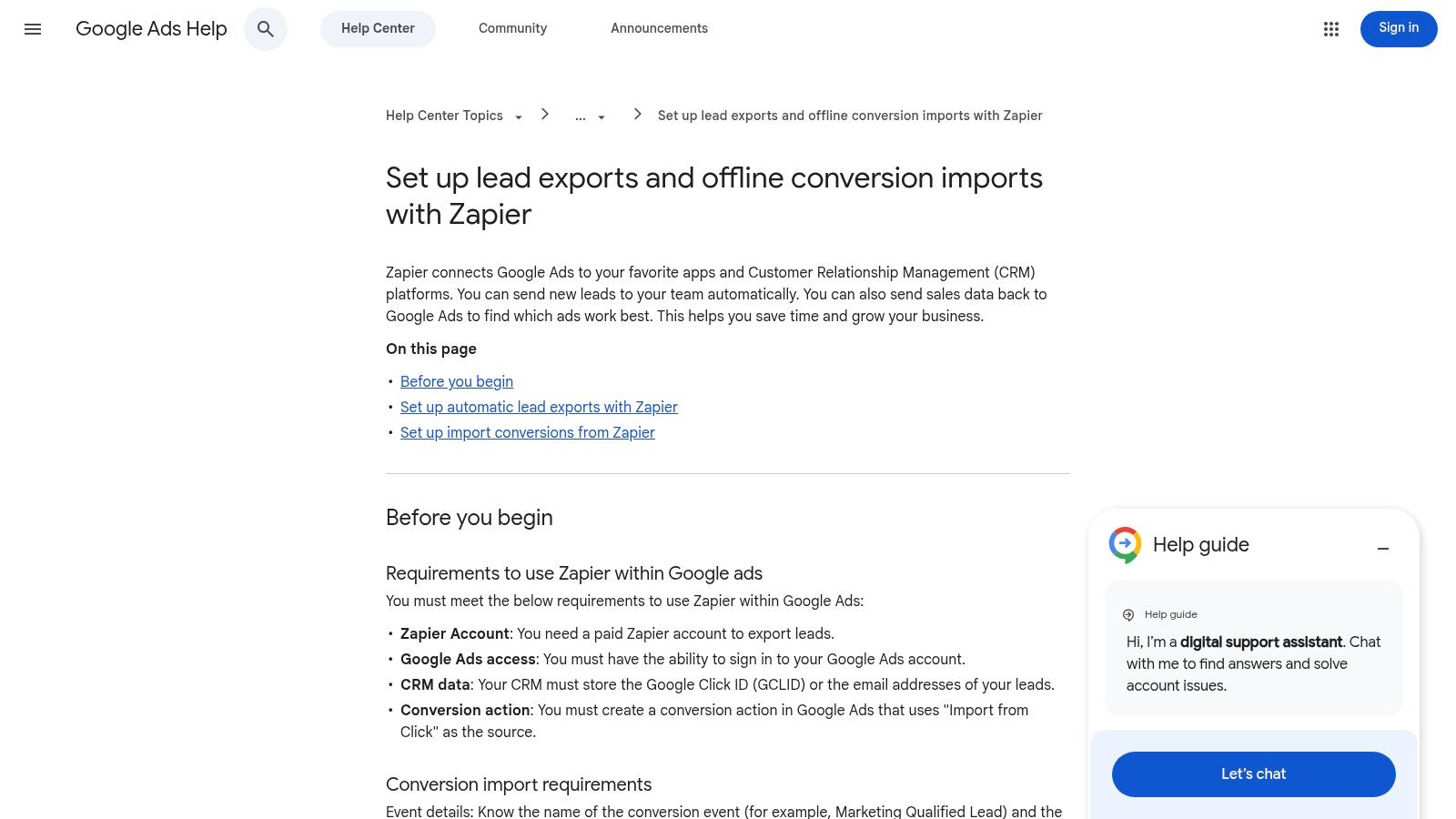
That's why Google Ads documentation for lead exports and offline conversion imports with Zapier belongs on this list. It's official guidance for one of the highest-value workflows a growth team can build.
This is the attribution workflow that changes budget decisions
Here's the practical use case. A lead comes in from Google Ads. The lead lands in your CRM. Sales qualifies it later, or the lead converts offline. Zapier then sends that downstream event back into Google Ads so the platform can connect ad interactions to actual business outcomes.
Marketing starts getting decision-grade feedback instead of vanity metrics. If you're trying to build a cleaner attribution stack, Du Marketing's write-up on marketing data integration is a useful companion.
The workflow itself isn't glamorous. It's highly effective.
The setup discipline you need
This one demands precision. Not creativity.
Preserve identifiers: Don't lose the click IDs or matching details needed for import.
Control timestamps: Event timing has to align correctly across ad platform and CRM records.
Define conversion stages: Decide which offline milestones deserve import, such as qualified lead, opportunity, or closed sale.
There's no prize for “mostly configured” here. A sloppy offline conversion workflow can create false confidence and bad optimization decisions.
A stronger setup uses Zapier to move events only after validation inside the CRM. That keeps accidental stage changes or duplicate updates from polluting Google Ads signals. For startups scaling paid acquisition, this workflow usually matters more than another dashboard tab or another Slack notification.
6. Pipedrive Knowledge Base Zapier What It Is and How to Use It
Pipedrive users usually need practical sales ops automation, not a philosophy lecture. The Pipedrive Zapier guide is useful because it stays close to that reality. Connect the tools. Create deals. attach files. Sync leads. Keep the pipeline clean.
For lean B2B teams, that's enough to get momentum.
Strong choice for lean sales teams
Pipedrive works well when the sales process is clear and the team wants less admin. Zapier extends that by pulling external lead sources, documents, and activity signals into the CRM without making reps do manual cleanup.
This is also where startup operators can steal ideas from a concrete operations case. One ecommerce retailer built a multi-step Zap around Shopify orders that removed manual data entry between order, fulfillment, and accounting systems, eliminated 100% of manual transfer work, reduced order-to-invoice time from hours to under 2 minutes, and cut roughly 15 hours of weekly overhead for a team of 5, according to this Zapier case study roundup. Different stack, same lesson. When one trigger updates every downstream system, operators stop babysitting data.
Workflows worth building first
Pipedrive teams should prioritize the automations that improve pipeline trust.
New lead intake: Create or update person and organization records from forms, chat, or meeting tools.
File and note attachment: Push proposals, call notes, or intake docs into the right deal record.
Stage-triggered follow-up: Create tasks or send notifications when deals move into key stages.
If your team is dealing with scattered form tools, ad platforms, and CRM updates, pair this setup with Du Marketing's guide to data pipeline automation. The goal isn't more automation. It's fewer broken handoffs.
Sales reps shouldn't be data janitors. Build the workflow so the CRM stays usable without heroic cleanup.
Pipedrive's guide is narrower than Zapier's broader resources, and that's fine. If your company runs revenue through Pipedrive, narrow is useful.
Zapier Workflow Examples, 6-Source Comparison
Item | Implementation Complexity 🔄 | Resource Requirements & Cost ⚡ | Expected Outcomes 📊 | Ideal Use Cases 💡 | Key Advantages ⭐ |
|---|---|---|---|---|---|
Zapier Templates Library | Low–Medium 🔄: copy-ready; advanced steps may be excluded | Low ⚡: minimal setup; premium apps or high volumes may need paid plan | Rapid deployment; standardized cross-team automations 📊 | Quick launches, team/client standardization, common ops | ⭐⭐⭐ Vast catalog and shareable templates |
Zapier Marketing Automations & AI Workflows | Medium 🔄: curated marketing flows; requires auth and mapping | Medium ⚡: connected apps + possible paid features | Marketing-aligned automations; faster growth-op builds 📊 | Lead capture, campaign sync, AI-augmented pipelines | ⭐⭐⭐ Focused on marketing outcomes and AI templates |
Zapier Blog, 12 Essential Marketing Automation Examples | Medium 🔄: end-to-end guides that need manual adaptation | Low–Medium ⚡: guidance-first; you supply app configs | Teachable patterns bridging strategy to implementation 📊 | Learning, prototyping, deciding template vs custom | ⭐⭐⭐ Clear, marketer-friendly walkthroughs |
Zapier Blog, 11 Essential HubSpot Workflows for 2026 | Medium 🔄: HubSpot-specific workflows; field/property mapping needed | Low–Medium ⚡: content + HubSpot access; may need plan features | Better CRM-led lead ops and lifecycle alignment 📊 | HubSpot-centric B2B growth, lead routing, enrichment | ⭐⭐⭐ Direct alignment to HubSpot lifecycle and templates |
Google Ads Help, Lead exports & offline conversion imports | High 🔄: precise mapping, time windows and ID matching required | Medium–High ⚡: accurate data, testing, and possible ad spend impact | Closed attribution loop; improved ROAS measurement 📊 | Ad attribution, offline conversion imports, ROAS optimization | ⭐⭐⭐ Authoritative setup guidance; reduces guesswork |
Pipedrive Knowledge Base, Zapier: What it is and how to use it | Low–Medium 🔄: step-by-step Pipedrive-focused instructions | Low ⚡: vendor-backed docs; minimal extra resources | Standardized CRM hygiene and sales pipeline automation 📊 | Sales ops, deal creation, lead syncing, pipeline hygiene | ⭐⭐⭐ Practical, vendor-backed examples reducing trial-and-error |
Next Steps to Supercharge Your Growth Automation
You've now got six strong places to pull Zapier workflow examples from, and they aren't equal.
If you need speed, start with Zapier's template library. If you need marketing-specific patterns, use the marketing automations collection. If your team needs strategic context before building, the editorial guides are better. If attribution is weak, move immediately to the Google Ads offline conversion workflow. If sales lives in Pipedrive or HubSpot, use the CRM-specific resources and stop pretending generic automations are enough.
Don't implement six workflows at once. That's how teams create a pile of half-working Zaps and call the project “automation.” Pick one workflow that fixes a real operating constraint. Lead routing, CRM sync, campaign launch prep, content ops, or offline conversion uploads are all legitimate starting points.
Then track a short list of operational metrics. Measure setup time. Measure whether records sync successfully. Measure how often humans intervene. Measure whether records are rejected for missing fields. Measure whether downstream teams trust the output enough to stop using side spreadsheets.
That last point matters more than most founders realize. A workflow is only useful when the next person in the chain believes the data is right. Marketing has to trust sales routing. Sales has to trust lifecycle updates. Finance has to trust the source fields. If people keep double-checking the automation manually, you haven't automated much.
Build each workflow with four elements from the start: trigger, validation, routing logic, and exception handling. Most weak Zaps only include the first one. That's why they break at scale.
Also, keep your naming and ownership clean. Every automation should have an owner, a purpose, a destination system, and a failure alert. If nobody owns the Zap, nobody fixes the Zap. Then your startup returns to manual work while paying for “automation.”
Start with one workflow today. Get it stable. Then extend it across the rest of your growth system.
If you want these workflows built as part of a real acquisition and attribution system, talk to Du Marketing. Du Marketing helps startups connect paid media, SEO, CRM, tracking, reporting, and Zapier automations into one operating model, so leads don't just arrive. They move cleanly from first click to closed revenue.